
-
×
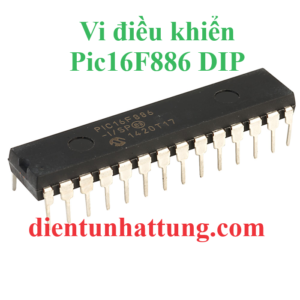 Pic16F886 DIP, VI ĐIỀU KHIỂN HỌ PIC CỦA MICROCHIP
1 × 72.000 ₫
Pic16F886 DIP, VI ĐIỀU KHIỂN HỌ PIC CỦA MICROCHIP
1 × 72.000 ₫ -
×
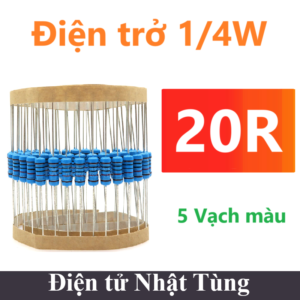 Điện trở 20R 1/4W 5 vòng màu, Điện trở 1/4W - 100 con
1 × 10.000 ₫
Điện trở 20R 1/4W 5 vòng màu, Điện trở 1/4W - 100 con
1 × 10.000 ₫ -
×
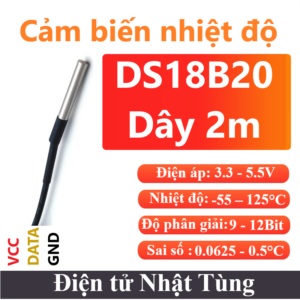 DS18B20 Dây, CẢM BIẾN NHIỆT ĐỘ - 2M
1 × 31.000 ₫
DS18B20 Dây, CẢM BIẾN NHIỆT ĐỘ - 2M
1 × 31.000 ₫ -
×
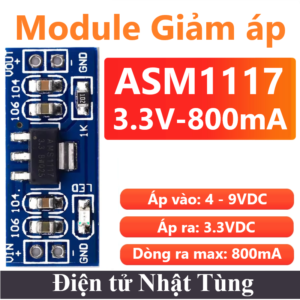 Module giảm áp ASM1117 3.3V ngang , Mạch giảm áp DC-DC 800mA
1 × 7.000 ₫
Module giảm áp ASM1117 3.3V ngang , Mạch giảm áp DC-DC 800mA
1 × 7.000 ₫ -
×
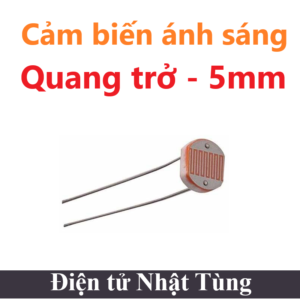 QUANG TRỞ TRUNG, CẢM BIẾN ÁNH SÁNG 5mm
1 × 2.000 ₫
QUANG TRỞ TRUNG, CẢM BIẾN ÁNH SÁNG 5mm
1 × 2.000 ₫ -
×
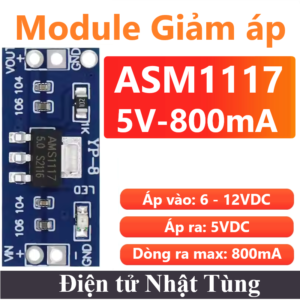 Module giảm áp ASM1117 5V ngang , Mạch giảm áp DC-DC 800mA
1 × 7.000 ₫
Module giảm áp ASM1117 5V ngang , Mạch giảm áp DC-DC 800mA
1 × 7.000 ₫
 VI ĐIỀU KHIỂN
 CẢM BIẾN
 ĐỘ K & Pt100
 MODULE VÀ MẠCH ĐIỆN
 ANTEN
ANTEN ĐIỆN TRỞ
 TỤ ĐIỆN
 IC CHỨC NĂNG
 ĐỘNG CƠ
 NGUỒN CUNG CẤP
 DỤNG CỤ & PHỤ KIỆN
 ĐÈN LED & DIODE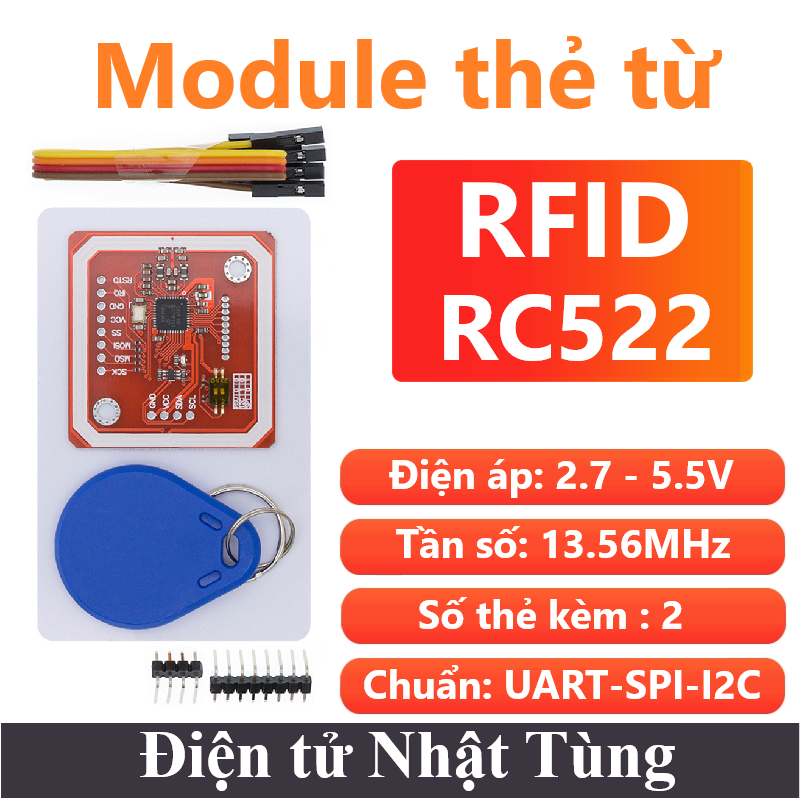
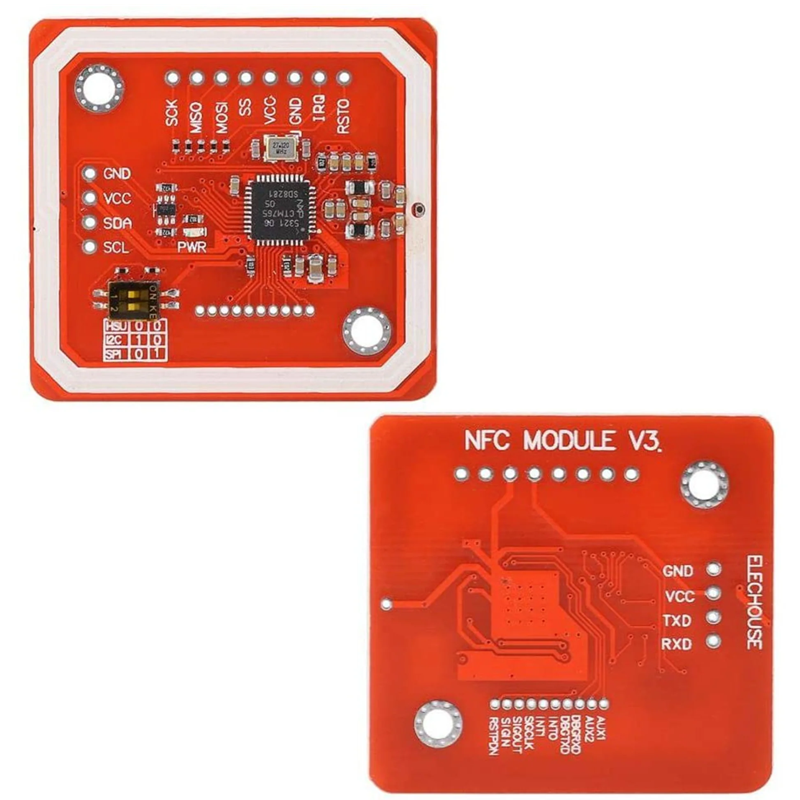
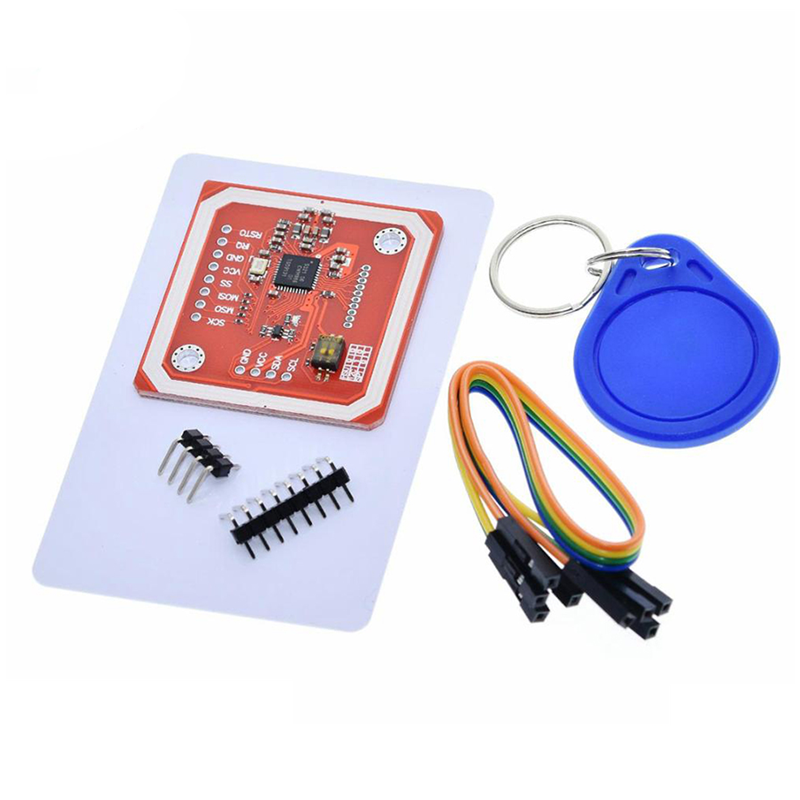
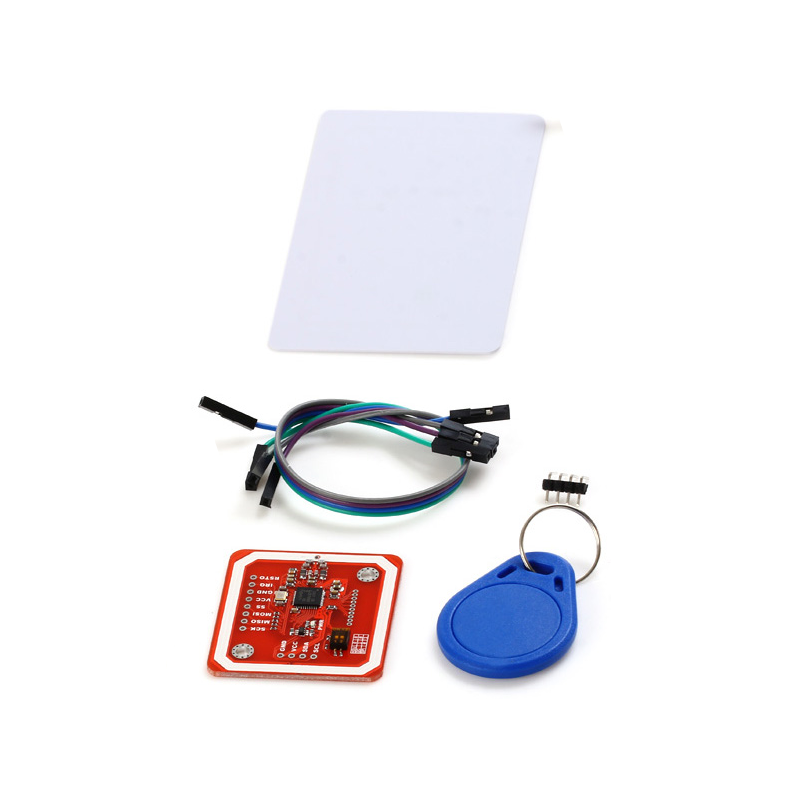
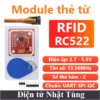
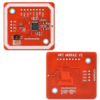
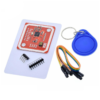
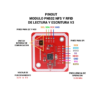
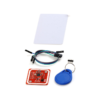
Module thẻ từ RFID PN532 UART SPI I2C, Mạch thẻ từ NFC 13.56MHz
99.000 ₫
Module RFID PN532 13.56Mhz có thể hoạt động đa chức năng: Ghi/đọc thẻ, giả lập thẻ và giao tiếp với điện thoại Android qua NFC thích hợp với nhiều ứng dụng
| Điện áp hoạt động: | 3.3V - 5.5V |
| Dòng tiêu thụ: | 26mA |
| Công suất: | 85mW |
| Loại sản phẩm: | Module |
| Chuẩn giao tiếp: | SPI, I2C, UART |
Còn 102 trong kho
Giới thiệu Module thẻ từ RFID PN532 UART SPI I2C
Module thẻ từ RFID PN532 UART SPI I2C là phiên bản nâng cấp vượt trội của RC522 từ NXP đang được sử dụng rất phổ biến hiện nay, PN532 được bổ sung nhân vi điều khiển 8051 giúp mở rộng độ tương thích với vô số chuẩn NFC phổ biến hiện nay đồng thời cũng mở rộng chuẩn giao tiếp của mạch lên 3 chuẩn là I2C, UART và SPI.
Mạch RFID NFC 13.56Mhz PN532 có thể hoạt động đa chức năng: Ghi/đọc thẻ, giả lập thẻ và giao tiếp với điện thoại Android qua NFC thích hợp với vô số các ứng dụng NFC đang rất phổ phiến hiện nay.
Ngoài ra còn có : Lora – NRF24L01,…
Các truyền không dây: HC-12 / RF / RFID,…
Anten đi kèm: Anten 433MHz
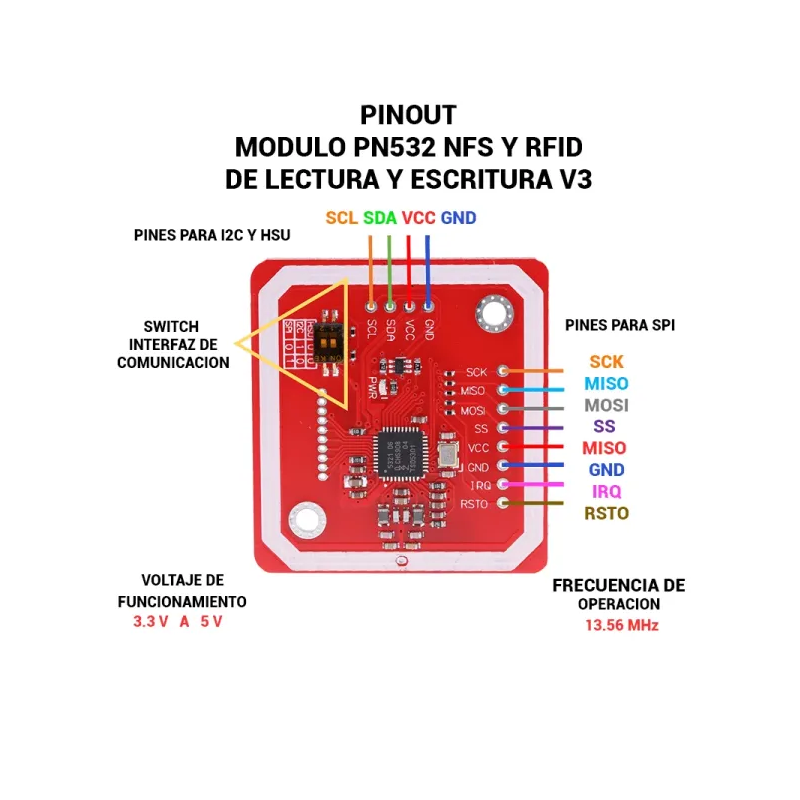
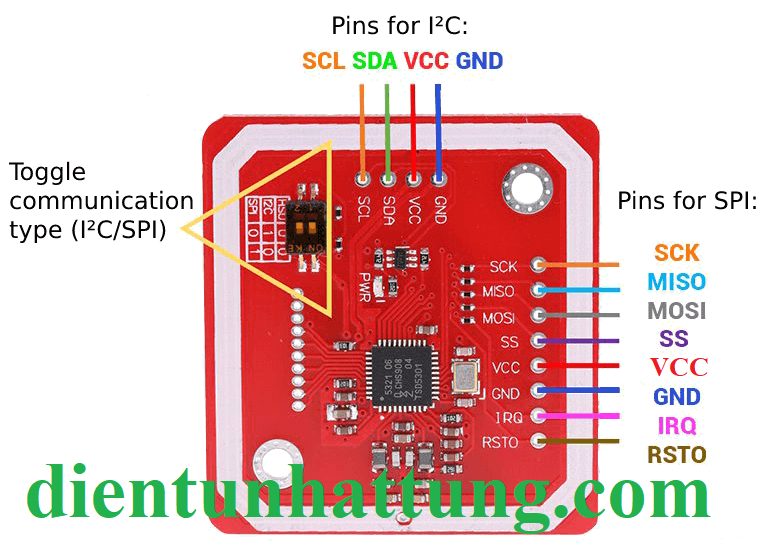
Chức năng các chân
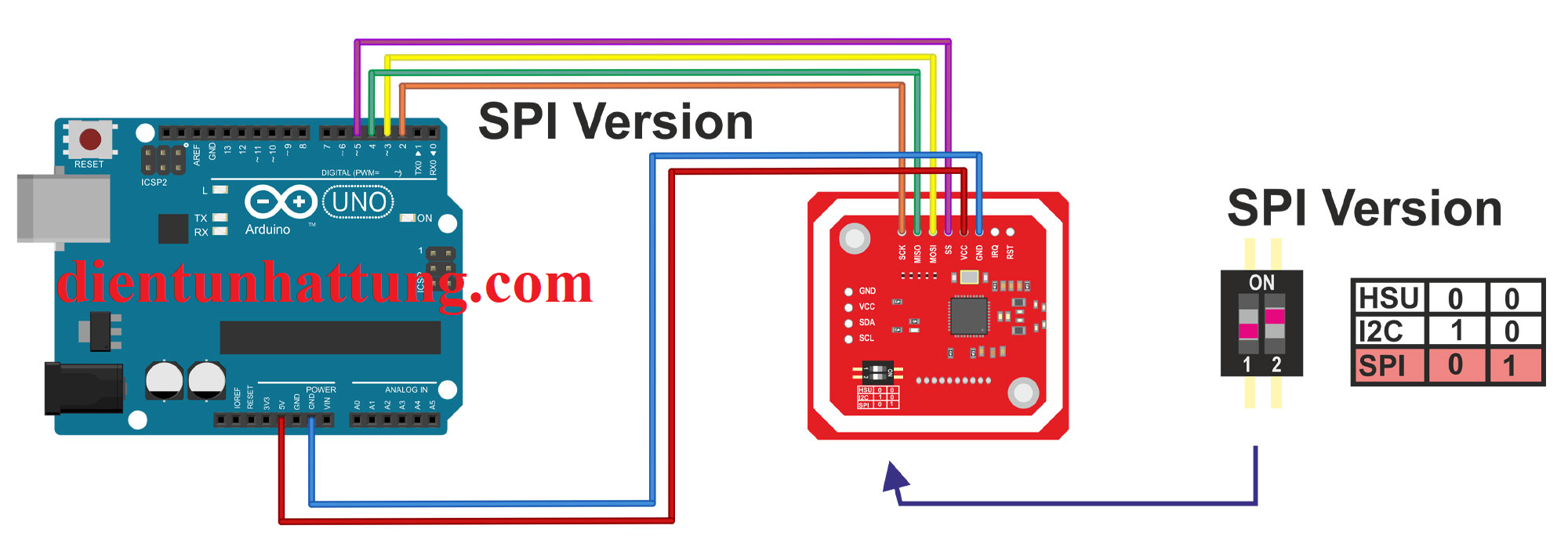
Chuẩn giao tiếp SPI
- SCK : Tạo xung SPI
- MISO : Truyền SPI
- MOSI : Truyền SPI
- SS : Cho phép SPI
- VCC : Cấp nguồn 3.3V.
- GND : Cấp nguồn 0V
- IRQ : Không kết nối.
- RST : Reset chuẩn SPI.
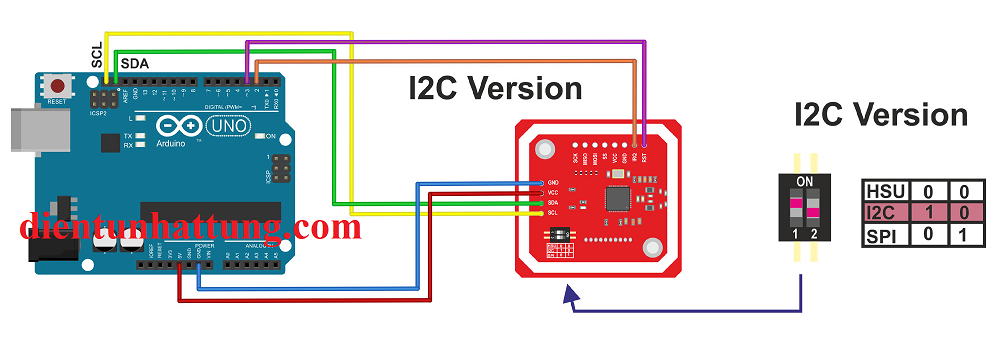
Chuẩn giao tiếp I2C hoặc UART
- GND : Cấp nguồn 0V
- VCC : Cấp nguồn 5V.
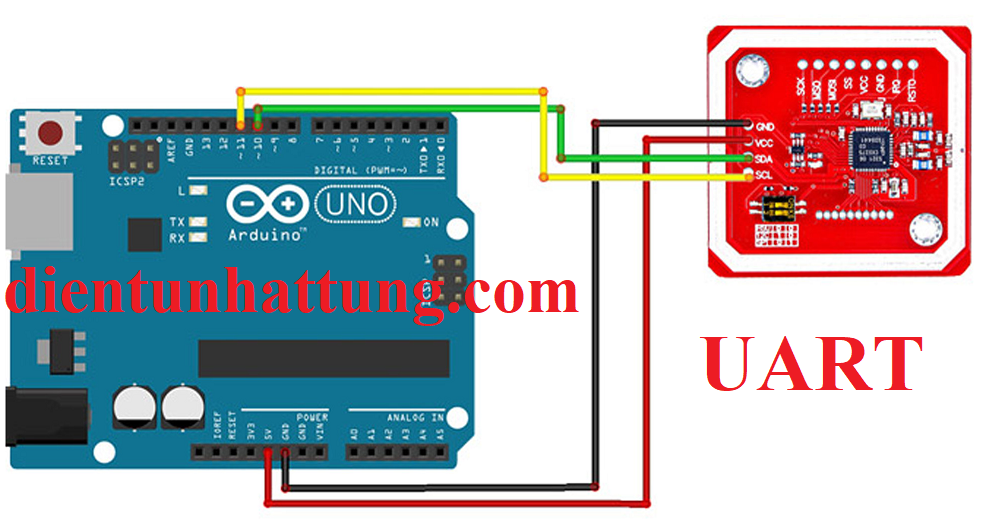
- SDA/TX: Truyền nhận data I2C / Truyền dữ liệu UART
- SCL/RX: Tạo xung Clock I2C / Nhận dữ liệu UART
Thông số kỹ thuật Module thẻ từ RFID PN532 UART SPI I2C
- Điện áp hoạt động : 2.7V – 5.5V
- Dòng điện hoạt động : 26mA
- Dòng điện chờ : 1A
- Dòng điện nghĩ : 80uA
- Công suất : 86mW
- Tần số sóng mang : 13.56MHz
- Chuẩn truyền : SPI TTL 3.3VDC (chuẩn SPI không cấp quá > 3.3V)
- Chuẩn truyền : UART (HSU): TTL 3.3~5VDC
- Chuẩn truyền : I2C: TTL 3.3~5VDC
- Khoảng cách hoạt động : 0~70mm
- Tốc độ truyền dữ liệu : tối đa 10Mbit/s
- Hỗ trợ đọc/ghi các chuẩn thẻ RFID NFC:
- ISO/IEC 14443A/MIFARE > đọc/ghi
- FeliCa > đọc/ghi
- ISO/IEC 14443B > đọc/ghi
- Chế độ giả lập thẻ ISO/IEC 14443A/MIFARE Card MIFARE Classic 1K hoặc MIFARE Classic 4K.
- Giả lập thẻ FeliCa.
- ISO/IEC 18092, ECMA 340 Peer-to-Peer
- Nhiệt độ hoạt động : -10°C – 60°C
- Số chân : 12
- Chuyển chuẩn truyền : HSU
- Loại : Module
- Kích thước : 40mm*42mm
Chương trình Test
Thư viện : Tải PN532.h và PN532_SWHSU.h Cài trực tiếp trên Arduino IDE tên PN532
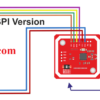
Nguyên lý kết nối với SPI
Chương trình test SPI
//*******************************************************************************************************
//** Example sketch for reading ID tags. If the ID matches, PIN 13 will be ** for 2 seconds
//** is switched on (LED). If ID is wrong, a tone is generated at pin 12. (PASSIVE buzzer / piezzo) **
//** use. Instead of an LED, a door lock can also be switched (via TIP120 switching amplifier **
//*******************************************************************************************************
#include <Wire.h> // library for I2C protocol
#include <SPI.h> // Library for SPI protocol
#include <Adafruit_PN532.h> // Library for the NFC/RFID module !!! Please load by Arduino IDE !!!
const byte PN532_SCK = 2; //
const byte PN532_MOSI =3; // Define the connections for
const byte PN532_SS = 4; // the SPI connection to the RFID
const byte PN532_MISO =5; // board
const int AlarmPin = 12; // define the connections for
const int OutputPin = 13; // the (switching) outputs
unsigned long cardid; // variable for the read TAG-ID
unsigned long TAGid1 = 1702536620; // IDs to be accepted can be entered here
unsigned long TAGid2 = 4070796058; // Otherwise leave blank. The ID of single TAGs can be specified with
unsigned long TAGid3 ; // the serial monitor (set 115200 baud)
Adafruit_PN532 nfc(PN532_SCK, PN532_MISO, PN532_MOSI, PN532_SS); // Create instance with SPI protocol
void  setup() { // Start setup function
pinMode(AlarmPin, OUTPUT); // Define PIN as output
pinMode(OutputPin, OUTPUT); // Define PIN as output
Serial.begin(115200); // Open serial transmission with 115200 baud (ser monitor same baud setting!)
Serial.println("Hello!"); // Send text "Hello!" to serial monitor
nfc.begin(); // Start communication with RFID reader
unsigned long versiondata = nfc.getFirmwareVersion(); // Read version number of firmware
if (! versiondata) { // If no response is received
Serial.print("Can't find board !"); // Send text "Can't find..." to serial monitor
while(1); // so long stop
}
Serial.print("Found chip PN5"); Serial.println((versiondata >> 24) & 0xFF, HEX); // Send text and version info to serialmonitor
Serial.print("Firmware ver. "); Serial.print((versiondata >> 16) & 0xFF, DEC); // Monitor when response comes from board
Serial.print('.'); Serial.println((versiondata >> 8) & 0xFF, DEC); //
nfc.SAMConfig(); // Configure board to read RFID tags
Serial.println("Waiting for an ISO14443A chip ..."); // Send text that waiting to serial monitor
}
void loop() { // Start loop function
uint8_t success; // Create variable
uint8_t uid[] = { 0, 0, 0, 0, 0 }; // Buffer to store the UID
uint8_t uidLength; // Length of the UID (4 or 7 bytes depending on ISO14443A card/chip type)
// Wait for an ISO14443A chip. If one is detected, the variable
// will be filled with the UID. Depending on the length (4 bytes (Mifare Classic) or
// 7 bytes (Mifare Ultralight) the card type is detected.
success = nfc.readPassiveTargetID(PN532_MIFARE_ISO14443A, uid, &uidLength);
if (success) { // If detected, work off....
Serial.println("Found an ISO14443A card");
Serial.print(" UID Length: "); Serial.print(uidLength, DEC); Serial.println(" bytes");
Serial.print(" UID Value: ");
nfc.PrintHex(uid, uidLength); // print information to serial monitor
if (uidLength == 4) { // If the card/chip has 4 byte length....
// Mifare Classic card
cardid = uid[0]; //
cardid <<= 8; // Set the 4 byte blocks
cardid |= uid[1]; //
cardid <<= 8; // to a single block
cardid |= uid[2]; //
cardid <<= 8; // together
cardid |= uid[3]; //
Serial.print("Appears to be a Mifare Classic #"); //
Serial.println(cardid); // Output the information
Serial.println(""); //
Serial.println(""); //
}
if ((cardid) == (TAGid1)||(cardid) == (TAGid2)||(cardid) == (TAGid3)) // Query whether the TAGs 1..2..3 with the respective
{digitalWrite(OutputPin,HIGH); // matches. Then switch depending on the
delay(2000);
digitalWrite(OutputPin,LOW);} // on or off
else
{tone(AlarmPin, 1000); // And output a tone/frequency if necessary
delay(4000);
noTone(AlarmPin);}
} // End of IF query/loop
} // End of loop
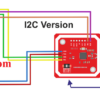
Nguyên lý kết nối với I2C
Chương trình test I2C
//*******************************************************************************************************
//** Example sketch for reading ID tags. With matching ID PIN 13 is switched on for 2 seconds **
//** is switched on (LED). If ID is wrong, a tone is generated at pin 12. (PASSIVE buzzer / piezzo) **
//** use. Instead of an LED, a door lock can also be switched (via TIP120 switching amplifier **
//*******************************************************************************************************
#include <Wire.h> // Library for I2C protocol
#include <Adafruit_PN532.h> // Library for the NFC/RFID module! !! Please load by Arduino IDE !!!
#define PN532_IRQ (2) // Define the IRQ port
#define PN532_RESET (3) // Define the Reset connector
const int AlarmPin = 12; // Pin 12 output for piezo speaker
const int OutputPin = 13; // Pin 13 output for LED or via TIP120 to a magnetic lock
unsigned long cardid; // Variable for the read TAG ID
unsigned long TAGid1 = 1702536620; // IDs to be accepted can be entered here
unsigned long TAGid2 = 4070796058; // Otherwise leave blank. The ID of single TAGs can be specified with
unsigned long TAGid3 ; // the serial monitor (set 115200 baud)
Adafruit_PN532 nfc(PN532_IRQ, PN532_RESET); // Create instance with I2C protocol
void  setup() { // start setup function
pinMode(AlarmPin, OUTPUT); // define PIN as output
pinMode(OutputPin, OUTPUT); // Define PIN as output
Serial.begin(115200); // Open serial transmission with 115200 baud (ser monitor same baud setting!)
Serial.println("Hello!"); // Send text "Hello!" to serial monitor
nfc.begin(); // Start communication with RFID reader
unsigned long versiondata = nfc.getFirmwareVersion(); // Read version number of firmware
if (! versiondata) { // If no response is received
Serial.print("Can't find board !"); // Send text "Can't find..." to serial monitor
while(1); // so long stop
}
Serial.print("Chip PN5 found"); Serial.println((versiondata >> 24) & 0xFF, HEX); // Send text and version info to serialmonitor
Serial.print("Firmware ver. "); Serial.print((versiondata >> 16) & 0xFF, DEC); // Monitor if response from board is received
Serial.print('.'); Serial.println((versiondata >> 8) & 0xFF, DEC); //
nfc.SAMConfig(); // Configure board to read RFID tags
Serial.println("Waiting for an ISO14443A chip ..."); // Send text that waiting to serial monitor
}
void loop() { // Start loop function
uint8_t success; // Create variable
uint8_t uid[] = { 0, 0, 0, 0, 0 }; // Buffer to store the UID
uint8_t uidLength; // Length of the UID (4 or 7 bytes depending on ISO14443A card/chip type)
// Wait for an ISO14443A chip. If one is detected, the variable
// will be filled with the UID. Depending on the length (4 bytes (Mifare Classic) or
// 7 bytes (Mifare Ultralight) the card type is detected.
success = nfc.readPassiveTargetID(PN532_MIFARE_ISO14443A, uid, &uidLength);
if (success) { // If detected, work off....
Serial.println("Found an ISO14443A card");
Serial.print(" UID Length: "); Serial.print(uidLength, DEC); Serial.println(" bytes");
Serial.print(" UID Value: ");
nfc.PrintHex(uid, uidLength); // print information to serial monitor
if (uidLength == 4) { // If the card/chip has 4 byte length....
// Mifare Classic card
cardid = uid[0]; //
cardid <<= 8; // Set the 4 byte blocks
cardid |= uid[1]; //
cardid <<= 8; // to a single block
cardid |= uid[2]; //
cardid <<= 8; // together
cardid |= uid[3]; //
Serial.print("Appears to be a Mifare Classic #"); //
Serial.println(cardid); // Output the information
Serial.println(""); //
Serial.println(""); //
}
if ((cardid) == (TAGid1)||(cardid) == (TAGid2)||(cardid) == (TAGid3)) // Query whether the TAGs 1..2..3 with the respective
{digitalWrite(OutputPin,HIGH); // matches. Then switch depending on the
delay(2000);
digitalWrite(OutputPin,LOW);} // on or off
else
{tone(AlarmPin, 1000); // And output a tone/frequency if necessary
delay(4000);
noTone(AlarmPin);}
} // End of IF query/loop
} // End of the loop
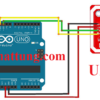
Nguyên lý kết nối với UART
Chương trình test UART
#include <SoftwareSerial.h>
#include <PN532_SWHSU.h>
#include <PN532.h>

SoftwareSerial SWSerial( 10, 11 ); // RX, TX
PN532_SWHSU pn532swhsu( SWSerial );
PN532 nfc( pn532swhsu );

void setup(void) {
  Serial.begin(115200);
  Serial.println("Hello Maker!");
  nfc.begin();
  uint32_t versiondata = nfc.getFirmwareVersion();

  if (! versiondata) {
    Serial.print("Didn't Find PN53x Module");
    while (1); // Halt
  }

  // Got valid data, print it out!
  Serial.print("Found chip PN5"); Serial.println((versiondata>>24) & 0xFF, HEX);
  Serial.print("Firmware ver. "); Serial.print((versiondata>>16) & 0xFF, DEC);
  Serial.print('.'); Serial.println((versiondata>>8) & 0xFF, DEC);
  // Configure board to read RFID tags
  nfc.SAMConfig();
  Serial.println("Waiting for an ISO14443A Card ...");
}

void loop(void) {
  boolean success;
  uint8_t uid[] = { 0, 0, 0, 0, 0, 0, 0 };  // Buffer to store the returned UID
  uint8_t uidLength;                       // Length of the UID (4 or 7 bytes depending on ISO14443A card type)
success = nfc.readPassiveTargetID(PN532_MIFARE_ISO14443A, &uid[0], &uidLength);
  if (success) {
    Serial.println("Found A Card!");
    Serial.print("UID Length: ");Serial.print(uidLength, DEC);Serial.println(" bytes");
    Serial.print("UID Value: ");
    for (uint8_t i=0; i < uidLength; i++)
    {
      Serial.print(" 0x");Serial.print(uid[i], HEX);
    }
    Serial.println("");
    // 2 second halt
    delay(2000);
  }
  else
  {
    // PN532 probably timed out waiting for a card
    Serial.println("Timed out! Waiting for a card...");
  }
}
Tham khảo chương trình mẫu và thông tin linh kiện chi tiết tại:
Chỉ những khách hàng đã đăng nhập và đã mua sản phẩm này mới có thể để lại đánh giá.
Sản phẩm tương tự
Đánh giá
Chưa có đánh giá nào.